We are happy to announce that all of the Valhalla plugins are now available as Universal Binary 2 builds. This means that the plugins have been compiled to run natively on both Apple Silicon (ARM) and Intel Macs!
The beta versions of ValhallaSupermassive, FreqEcho, and SpaceModulator can be downloaded from their respective web pages. People that own licenses for the commercial plugins can download the installers from their user account (look for the “ARM/Intel Mac Beta” installers).
At the time of writing this blog post, there are only a few DAWs that have been built to run natively on the Apple Silicon processors – Logic, GarageBand and Reaper are the only ones we know about. If you are running those on an M1 Mac, we welcome you to try the new beta installers and see how they work for you!
The new betas will display “Intel” or “ARM” in the upper right corner. This is a quick way of determining if you are running the native ARM build on an M1 Mac versus the Intel build in Rosetta 2. On Intel Macs, you will always see “Intel” displayed.
Once these have been out in the world for a bit, we will designate these builds the “official” builds, and create demo installers for them. Until them, thanks for checking these out! If you have any feedback on the beta installers, please reach out to us via our support request form.
For our Windows users, and Intel Mac users: nothing has changed in these builds except for the UB2 ARM/Intel builds, and the version number. So, if you are on Windows, you aren’t missing out on any cool features.
Yesterday, I went for an evening walk. I was hoping to take some time-lapse footage, but it was foggy. Nothing was moving.
When I got back home, I was inspired to create a quick composition that captured the foggy bleakness of the day. So I fired up the Prophet–10, loaded up an instance of ValhallaDelay using the new LoFi mode, and got to work.
Here’s the dry sound from the Prophet-10, using a patch I dialed up. I made heavy use of the sustain pedal, so there are times when at least 7 or 8 notes are ringing out:
Some of the passages in the dry Prophet-10 track cut off abruptly, but this is because I was tracking with ValhallaDelay (in the LoFi mode) that was providing a “ping-pong” reverb. Here’s the ValhallaDelay patch I used (to try the patch yourself, select all the text including the < and > tags at the beginning and end, copy, click on the name of the preset in the ValhallaDelay GUI, and select the “Paste from clipboard” option):
This sustained the ends of the notes from the Prophet-10, as well as creating a more stereo effect:
For the final mix, I mixed the beginning of the track with reversed audio from later on in the track, and played it back through an instance of LoFi with 0 msec delay and 0% feedback:
This creates a saturated tape warble sound with additional layers of wow, flutter and jitter:
The original synth sound is nice – Sequential knocked it out of the park with the Prophet-10. LoFi was mainly used to glue everything together and add layers of noise and fog that weren’t in the original signal. The results sound like how yesterday felt.
Back in September 2020, we updated ValhallaSupermassive with two new reverb/delay modes, Triangulum and Large Magellanic Cloud. September 2020 was two months ago, but this translates to several years in 2020 time. So we figured that today would be a great day to introduce TWO MORE MODES!!!!!!
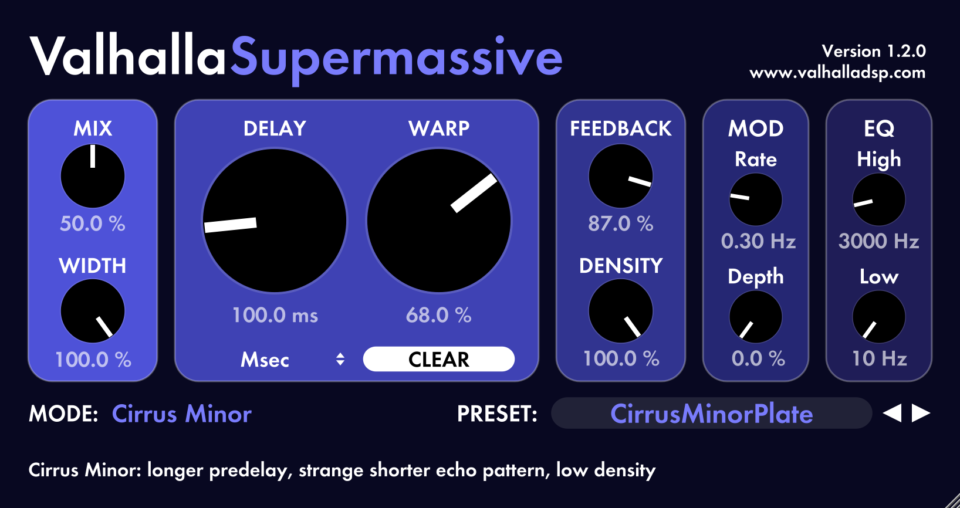
We are happy to announce the 1.2.0 update of ValhallaSupermassive, and the new Cirrus Major and Cirrus Minor modes.
Most of the modes in ValhallaSupermassive are designed to sound as smooth as possible. Lots of echo density, with the Warp and Density knobs allowing for a seamless transition between lower density echos and high density reverbs. The Cirrus Major and Cirrus Minor modes aren’t smooth. They are bumpy. They are rough. They create echo patterns that repeat in weird ways. The density is far less than other modes, and even at their densest you can hear strange repeating patterns.
Why make reverb modes that sound weird and rough? Because they are interesting. Put a synth sound with a sharp attack through the Cirrus Major and Cirrus Minor modes, and listen to the sound bounce around the stereo image. Play guitar through them, and enjoy the textures. The Cirrus modes are all about hearing the gaps in the sound, not about filling those gaps in. Space full of spaces.
All that being said, if you turn Warp up to 60% or more and turn Density up to 100%, you can use the Cirrus Major and Cirrus Minor modes as an 80s modulated reverb. There will be a fair amount of predelay baked into the sound, but this is useful for emulating the sound of something like the H3000 Swept Reverb. The underlying architecture of Cirrus Minor isn’t all that dissimilar from the Swept Reverb algorithm – they are both feedback delay networks that can have fairly “sparse” scattering matrices. Set the Delay to somewhere between 100 and 200 msec, and you can get a reverb sound that hearkens back to the days of big hair and bigger drum sounds!
My favorite way of using Cirrus Major and Cirrus Minor is to set the density to around 25-30%, and then adjust Warp to get a cool “multitap” repeating echo sound that gradually decays into reverb. The Low and High EQ are included within the feedback path of the Cirrus modes, so you can thin out the sound as it decays away.
ValhallaSupermassive is a FREE plugin, and the 1.2.0 update is a FREE update! We appreciate all of the enthusiasm and support we’ve received from all of you since Supermassive launched in May of this year, and we hope you enjoy the new modes!
P.S. All of the modes in Supermassive up to this point have been named after constellations or massive celestial objects. Cirrus Major and Cirrus Minor break from this tradition, and are named after one of my favorite Pink Floyd songs:
The ValhallaDelay 1.8.2 update features 12 original delay modes, including the new PitchDuck algorithm. The PitchDuck mode combines the base delay sound with our unique one-knob ducking control, which allows the input signal to control the feedback gain and output volume smoothly and continuously.
Why It Matters
I’m excited about the PitchDuck mode, as it allows the user to create adaptive shimmer sounds. These are pitch-shifting reverbs that are responsive to the sound feeding into them. By turning up the Diffusion and Feedback amounts and adjusting the Ducking control, you can have the classic wash of sound or tailor the shimmering reverb to be more subtle or only kick in after the input signal has quieted down.
Increase Precision
Here’s an example of a synth playing through a ducking shimmer patch. The track starts with Ducking set to 0% for a more “traditional” shimmer sound. As the track progresses, the Ducking turns up, which results in the shimmer reverb becoming more precise and less dissonant with the input signal.
Get Subtle
The PitchDuck mode can also be used with high amounts of diffusion for more subtle ducking reverbs. Just turn the main Pitch shift to 0, set the Detune to some modest value, turn up the feedback for the most extended tail you are looking for, and use the Ducking knob to add clarity to your sound. In this example, the synth starts dry and abruptly fades into the reverb (my hand slipped while adjusting the mix level). The ducking initially sets to zero and then is turned up to add clarity to the reverb.
Crank It Up
As with all the ducking modes, PitchDuck comes to life when playing an instrument through it in real-time. Turn up the feedback to the level you want to sustain notes at after you stop playing, and then turn up Ducking to get the clarity you want while playing.
Valhalla Updates are FREE
The 1.8.2 update for ValhallaDelay is FREE for all owners of ValhallaDelay, so if you already own the plugin, log into your user account and grab the installer. Don’t own ValhallaDelay yet? Download the demo and check it out for yourself!
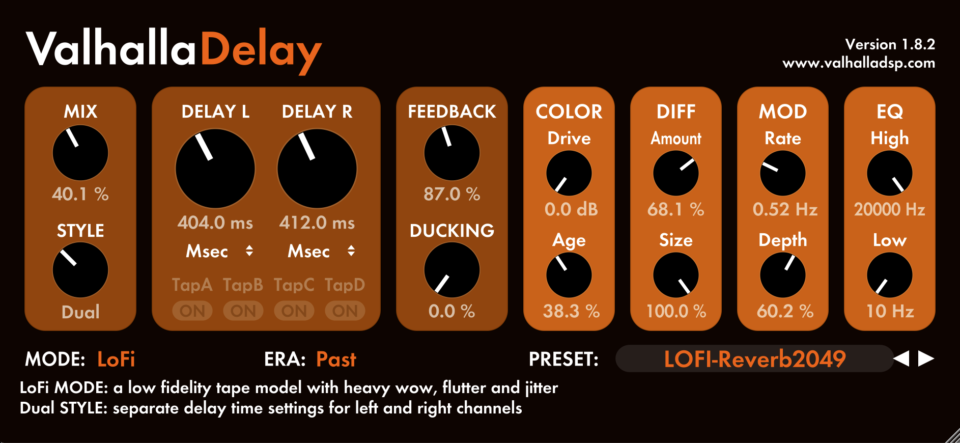
The 1.8.2 update of ValhallaDelay introduces what might be my favorite delay algorithm I have ever written: LoFi. The LoFi mode allows me to get the delay sounds I have been hearing in my head for decades, and is a way of adding layers of patina and depth to any sound.
The Inspiration
LoFi was originally inspired by a tape echo I bought back in 2019. The Univox EchoChamber EC-80A is most famous for being used by Eddie Van Halen in his early guitar rig. It is also (in)famous for using tape cartridges that are very difficult to track down, and tend to break on a regular basis.
The Univox EchoChamber EC-80A, complete with the strange cartridge used for the tape loop.
My Univox tape echo works, but barely. Sometimes it doesn’t make an echo sound when turning on, and I have to turn it on or off again or reach around the back and wiggle the tape cartridge. When it does work, it sounds broken. Lots of distortion, lots of wow and flutter, as well as a faster flutter that reaches up into the audio rate. This flutter is where the magic lies in this unit, in my opinion. It takes any input sound and creates a halo of fuzzy noise around it. The moment I tried the Univox EchoChamber in the store, I knew that I had to buy it. And I knew that I had to create a delay mode inspired by it someday.
The deeper underlying inspiration for the LoFi mode was the low fidelity sounds I grew up with in the 70s and 80s. As a kid, I watched movies in school played on warbly 16mm projectors. In the 80s, I watched movies on VCRs, where the audio would hitch and wobble. I recorded vinyl records onto cheap cassettes, that would jam in my Walkman or car stereo. The tapes could be salvaged by prying them out and rewinding the spools with a pencil, but the tape would inevitably be chewed up and wrinkled, creating all sorts of wow and flutter. If you were a child of the 70s or 80s, you grew up in a lo-fi world.
We’ve incorporated the LoFi concepts into a ValhallaDelay mode that is essentially the mirror image of the HiFi mode, hence the color scheme.
LoFi vs. HiFi
LoFi shares the same controls as HiFi, but with drastically different sonic results:
Age adjusts the amount of higher frequency flutter. This is sometimes called “scrape flutter” in the literature, but it is best viewed as flutter at audio rates. As you turn up the Age control, the amount of “scrape flutter” increases, which creates a roughness to the sound. Try setting this to 50%, and then going up or down from there.
The modulation waveform of the LoFi mode is similar to the modulation adjusted by Age, but at lower rates. This is a chaotic noise function, that displays the sort of “self-similarity” I talked about in a blog post a few years back. ModRate controls the base frequency of this random function, while ModDepth allows for much higher wow and flutter depths than most of the other ValhallaDelay modes.
The Drive knob adds both odd and even harmonics. Even with Drive at 0 dB, there is still a fair amount of distortion in the LoFi sound.
The Era control allows the user to select between different flavors of lo-fi tape. Past is a dark tape loop, similar to the Tape mode. Present is a brighter tape, similar to the Duck Tape mode. Future is similar in brightness to HiFi, but it isn’t high fidelity by a long shot – the brightness can make the noisiness stand out more starkly than the darker Eras.
So, what is LoFi useful for?
Naturally, the LoFi mode excels at tape echos, especially ones that are crustier than the more commonly found RE-201s. Honestly, the LoFi mode sounds more like your average tape echo than the Tape mode, as your average tape echo is about 10 minutes away from completely breaking down. We also like to use LoFi for warbly dark reverbs, strange chorus sounds, and a bunch of different sounds best described as “bees.” Personally, I use LoFi to artificially age my music. I use one LoFi instance for echoes, another for reverb, and a third instance on the mix bus with a short delay and no feedback to add tape wobble to the sound:
I’m very excited to share LoFi with the world! If you already own ValhallaDelay, just log into your user account and grab the latest installer. If you don’t own ValhallaDelay yet, feel free to check out the demos!
We have officially updated all of the Valhalla plugins for autumn 2020! The changes across the plugin line:
VST3 for Mac (in addition to VST 2.4, AAX, Audio Units)
VST3 for Windows (in addition to VST 2.4 and AAX)
Ready for Big Sur! The updates also work on OS 10.9 through macOS 10.15, as well as 64-bit Windows 7/8/10.
Signed and notarized installers for Macs
Signed installers for Windows, with better default paths for VST2.4 and VST3
64-bit only
It turns out that Big Sur breaks compatibility with some APIs that the older Valhalla plugin builds were using. The current plugins have been built with the latest Juce APIs, the latest VST3 SDK, and the latest AAX SDK, so these should work for Macs running OS 10.8 through Big Sur.
So, if you are running Big Sur, be sure to download the latest plugin installers from your user account! These updates aren’t just for Big Sur; they should run on OS 10.9 through macOS 10.15 as well.
The Big Sur updates are currently for Intel Macs only. These will run on the new Apple Silicon Macs, running Rosetta 2. Our current plan is to create native Apple Silicon ports in Q1 2021.
The latest Valhalla plugin updates are 64-bit only. We’ve always said that we’ll keep 32-bit plugins building as long as we can, and, well, we’ve reached the end of the line. The modern toolkits needed to build plugins for Big Sur (and the upcoming Apple Silicon machines) make it pretty much impossible to continue to build 32-bit versions. In addition, the 32/64-bit installers can cause Cubase to get confused, which is tiresome for everyone involved. So all Valhalla plugins from here on out are going to be 64-bit only.
We’ll keep the last 32/64-bit legacy installers up for anyone who needs to keep running 32-bit versions, but would recommend that people install the latest & greatest unless they are 100% sure they need 32-bit versions. The newest installers are the ones in the top of the list for each plugin in your user account; the older installers are called “Legacy.”
Enjoy the new plugin builds, and have a safe autumn!
Two new reverb/delay modes: Large Magellanic Cloud and Triangulum
VST3 (in addition to VST2.4, AAX, Audio Units)
Signed and notarized installer for macOS (ready for Big Sur)
Signed installer for Windows
New presets
64-bit only
The Large Magellanic Cloud and Triangulum modes have some features not seen in the other Supermassive modes:
The Triangulum and Large Magellanic Cloud modes both have their echo density completely controlled by the DENSITY knob.
The DENSITY knob for these modes acts more like the Diffusion control in other plugins (such as ValhallaShimmer, ValhallaDelay, & VintageVerb).
With DENSITY set to 0%, these modes will sound like sparse, long delays.
Large Magellanic Cloud will have a delay at 4X the displayed delay value with DENSITY at 0% and WARP at 0%
Triangulum will have a delay at 8X the displayed delay value with DENSITY at 0% and WARP at 0%
Turn up DENSITY (with WARP set close to 0%) and you will get shorter echoes inside the longer delay, with the length of the shorter echoes corresponding to the displayed delay values.
Turn up DENSITY (with WARP set to 50% or greater) and you will get long and lush reverb sounds.
The upshot of all this: Triangulum and Large Magellanic Cloud extend the functionality of ValhallaSupermassive into longer looping delays, as well as sparse reverbs, loops that build into shorter repeating delays, and huge expansive reverbs that are perfect for electronic music.
The 1.1.1 release is 64-bits only. We’ve kept our 32-bit builds going as long as possible, and 2020 marks the end of the line (due to changes in Juce, macOS, and various DAWs that balk at having 32-bit versions present). We’ll leave the last 32-bit installers up for people, but everything from Valhalla going forward will be 64-bits only.
We hope you enjoy the ValhallaSupermassive update!
We’re happy to announce we have a brand new website!
As history buffs, we’re celebrating by remembering where we’ve been. Our early days evoke cringy middle school photos with bad hair and regrettable fashion moves, but you gotta start somewhere, right? So, let’s jump in:
Back in 2001, we spent countless hours pacing the streets of Ballard, a Scandinavian neighborhood in Seattle, talking about plugins, philosophy, and the company we wanted to build. Out of those conversations came our very first website. All we had was a name, a Viking-inspired logo, a fixation on the 70’s Vespa scooter typeface, and a dream.
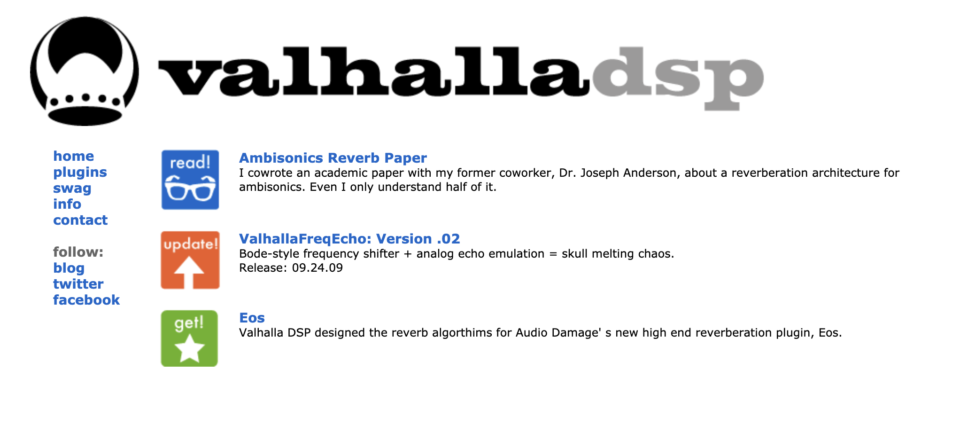
A very long dream, the kind that lasts for eight years, which is really more of a coma. By the time we were finally ready to go, the world had changed. Somebody else had established a business called Valhalla Sound, so we changed our name to Valhalla DSP and officially launched in 2008. We originally established Valhalla as a consulting business for Sean’s work and figured he would work on plugins on the side. Here was our first attempt to promote our first plugin, FreqEcho, before it had a GUI:
FreqEcho moved ssssssssslllllllloooooowww at first. After only 10 downloads over 3 months, we realized GUIs are important. Back in the day, skeumorphic GUI design was all the rage, so we tried our hand at that approach first. Not great.
We were obsessed with superflat design after going to Takashi Murakami’s Superflat Art Exhibition at the Henry Art Gallery back in 2001, and remained so 8 years later. We were also interested in the Arts and Crafts movement, and William Morris‘s ideas about craftmanship and the purpose of work.
A good way to rid one’s self of a sense of discomfort is to do something. That uneasy, dissatisfied feeling is actual force vibrating out of order; it may be turned to practical account by giving proper expression to its creative character. — William Morris
These ideas inspired our business model and influenced our design philosophy. They led us to break away from skeumorphism to let the plugin be what it was – code and 2d pixels of light. Here was my first superflat experiment. You can see the roots of it in all our GUIs, and read more about our design philosophy here.
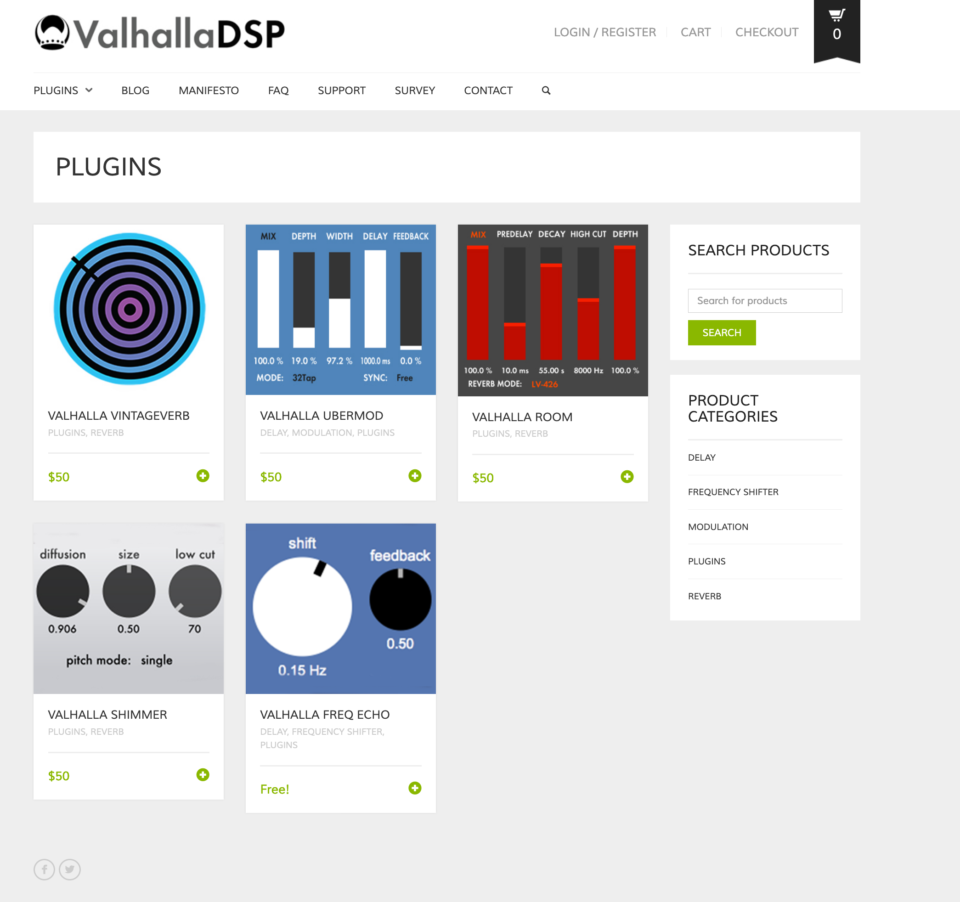
After we put a GUI on FreqEcho, downloads picked up considerably. We spruced up the website a bit and started thinking about venturing into the land of commercial plugins:
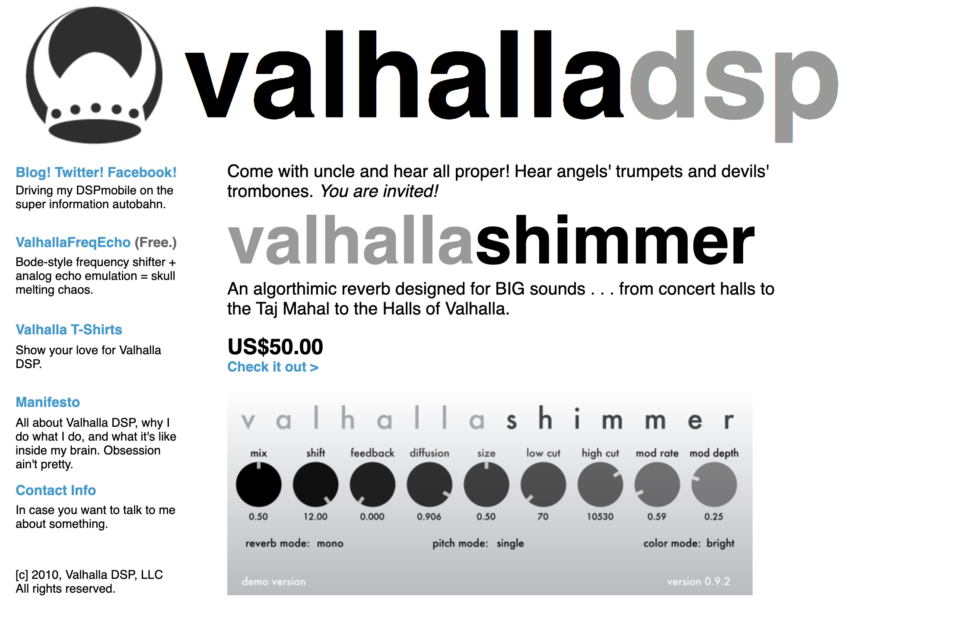
We updated the site again in 2010 with Shimmer, our first commercial plugin:
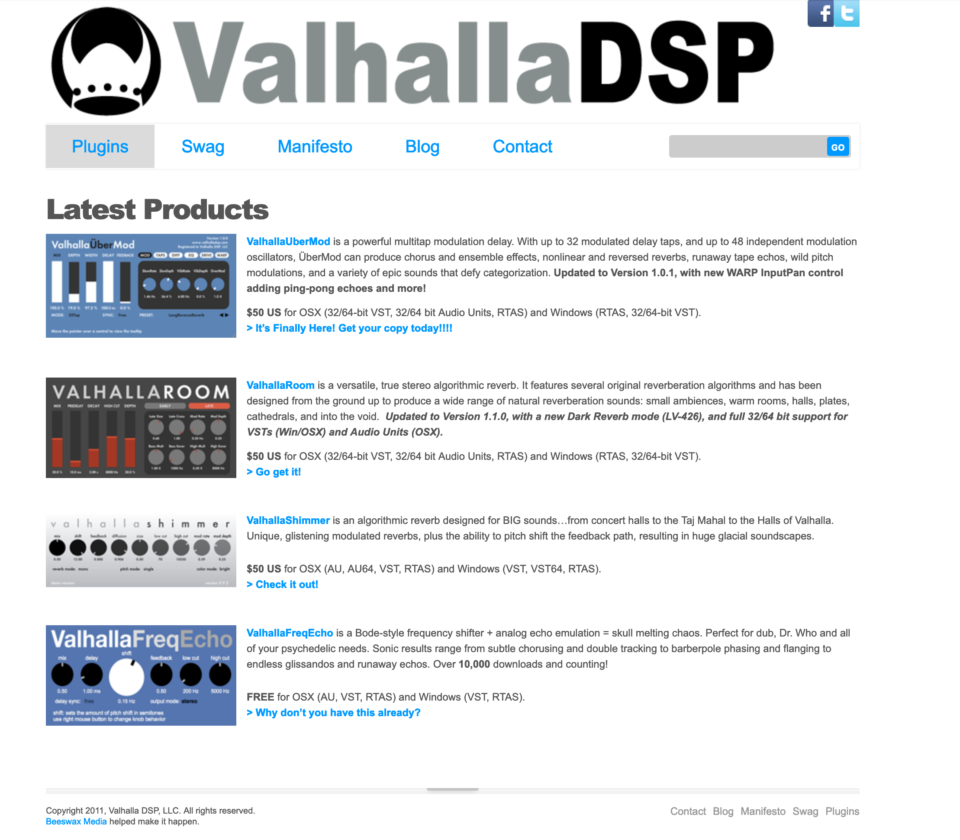
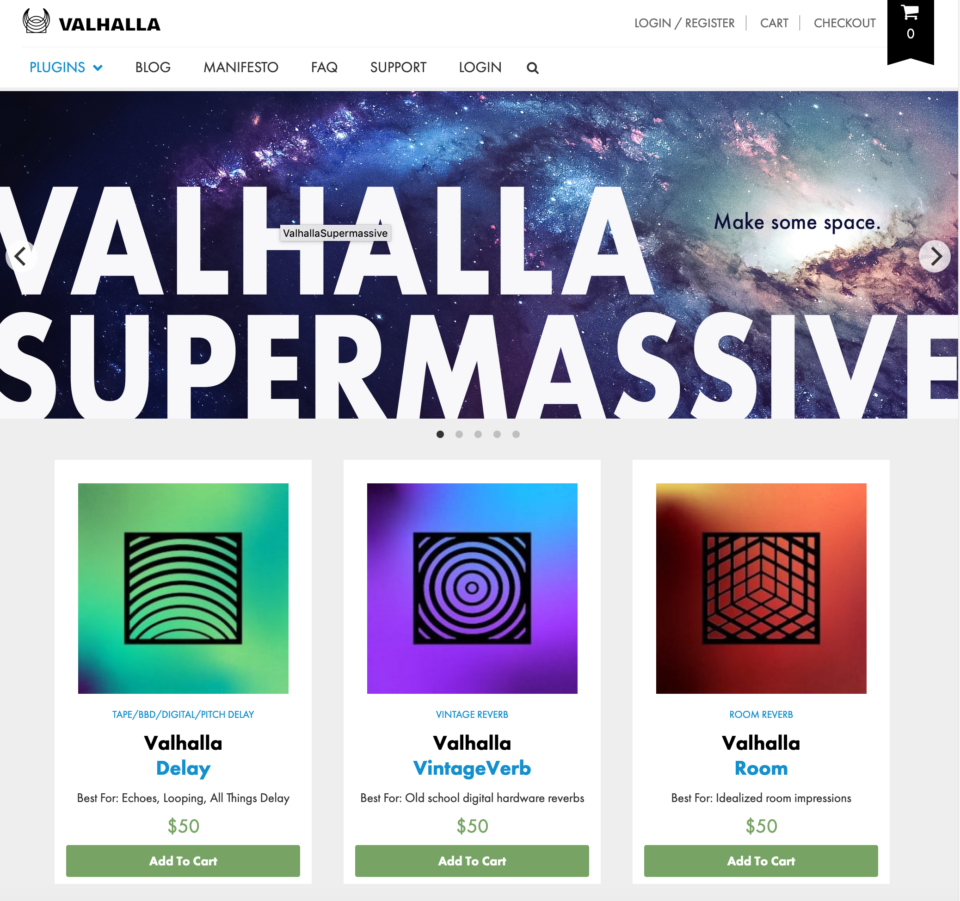
Making space for more plugins in 2012:
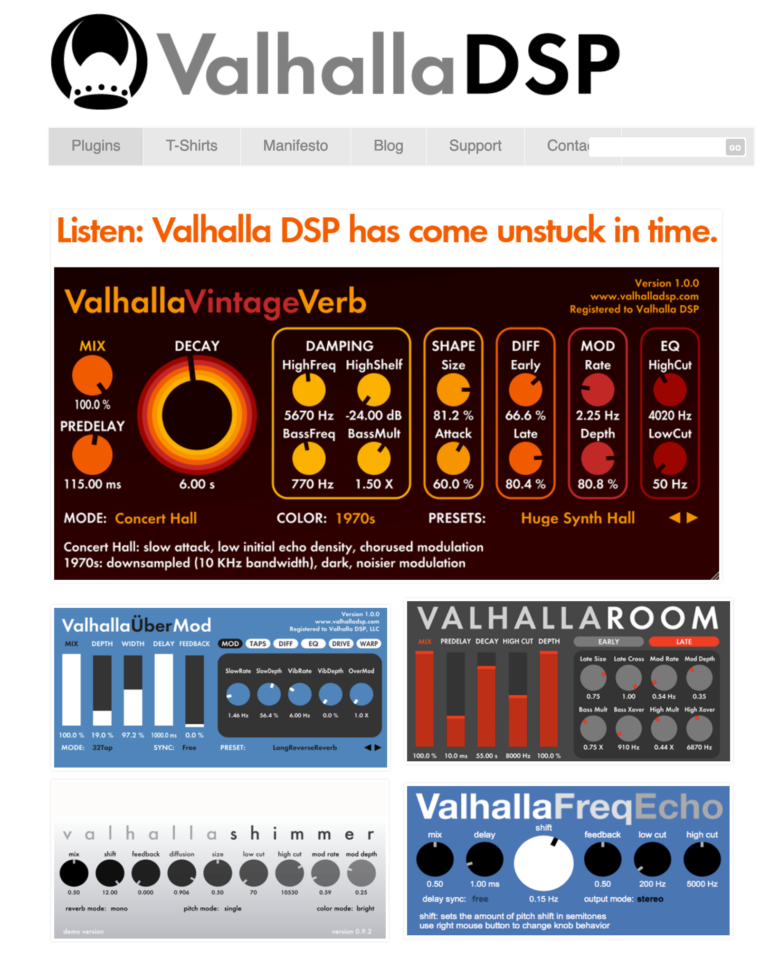
Highlighting the launch of VintageVerb in 2013:
Longing for less noise and more white space in 2015:
Experimenting with context and symbols in 2018:
Evolving our logo and plugin icons in 2019:
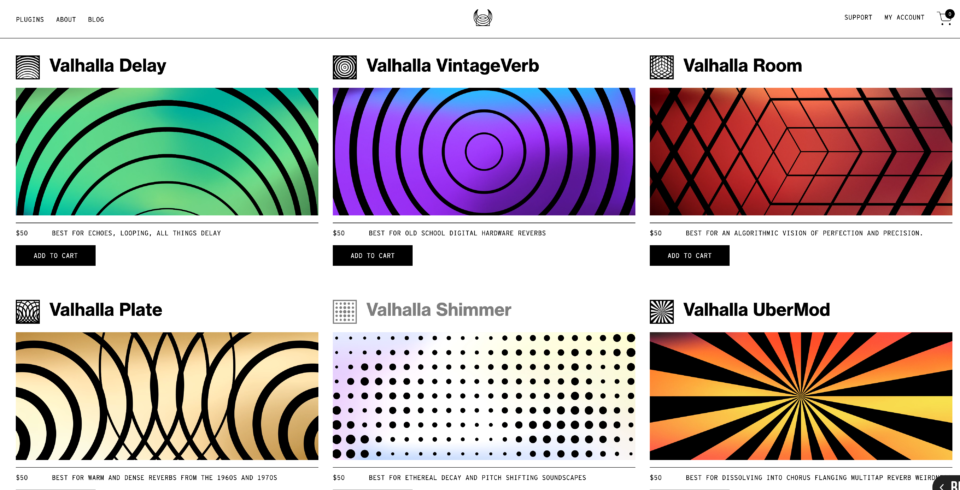
And bringing it all together – minimalism, symbolism and introducing movement – in 2020:
It’s been a great adventure so far, and we look forward to whatever comes next. We want to give a big thank you to Belief Agency for the inspiring creative collaboration, Cool Blue Web for the rock solid web development, and you for the ongoing inspiration. Thank you for going on this ride with us and for being part of Valhalla’s past, present and future. We hope you enjoy!
Some people in our community have been asking why we gave ValhallaSupermassive away for free. We thought about it a lot this week and combined our responses. “We” are:
Sean Costello, Sound & Code
Sean is our core algorithm engineer, product designer and sound-obsessed DSP wizard with a luscious reverb beard. In addition to making the Sound, Sean splits customer support with Don and is the voice of Valhalla.
Don Gunn, Sound & Support
Don is Valhalla’s pro audio expert (recording/mixing engineer, producer & musician). He works closely with Sean on product design, handles the majority of customer support, and gives us excellent advice. “What does Don think about that?” is a common question around here, as he is often the tiebreaker.
Kristin Farr Costello, Vision
I co-founded Valhalla with Sean back in the day, and haven’t been able to figure out what my job title is all these years. Until last night! We decided it’s Vision because I focus on philosophy, visual design, and making things happen for Valhalla. And because Sound + Vision is a great description of what we strive to bring. And because we love David Bowie so very much.
OK, back to the topic at hand. Here’s why we gave Supermassive away for free:
It’s a hard time.
We are feeling it for everybody and we wanted to do something to help. Since we’re not essential workers, this was the best thing we had to give.
Music is important, especially now, and it’s been hard to focus lately. We wanted to do something to make that a little easier.
Working on Supermassive helped us deal with our own anxiety and uncertainty. It’s been good to have a big creative project to work on and keep us busy. The week before we launched, Sean finished up the work after a lot of late nights. I tried to get him to take a break and rest a bit. He roamed around listlessly for a few days and said, “I feel like a shark. A sad shark. Got to keep swimming or I’ll sink to the bottom of the ocean.” It’s probably best he’s already back at work on the next new thing.
It’s been good for us to put down the news and think about space a lot. Turns out space is the place!
Note: This song has nothing to do with Supermassive. It’s just great.
Supermassive might be alive.
This may sound weird, but Supermassive has its own creative force. Like a will into being or a kind of certainty about itself. Here’s what we knew going into it:
It wanted to exist.
It wanted to be the unruly algorithms Sean discovered and saved along the way.
It didn’t want to be controlled or shaped. It wanted to stay wild and weird.
It didn’t want to be a commercial tool or marketing bait.
It wanted to be given freely to anyone who wanted it.
We listen to – and for – creative flow a lot in Valhalla, so we made Supermassive to spec. And today we are the proud, exhausted, and bewildered human parents of a giant space baby.
We like experimenting.
As somebody once said, “the best way to predict your future is to create it.” The old ways are breaking down, and this feels like a great time to take intuitive risks, let go of old patterns and try something new. Putting our all into Supermassive and giving it freely to support creative exploration is an interesting experiment. It’s the kind of world we want to live in. And so we do!
We appreciate you.
If you downloaded Supermassive or bought any of our other stuff, thank you for being part of Valhalla. We’re grateful for your support and the creative work you’re making. Sending our best in these strange times. We’re here with (and for) you.
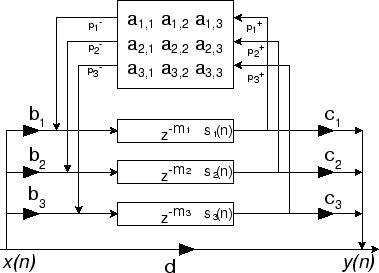
ValhallaSupermassive is based around different configurations of delay lines. These configurations are referred to as “feedback delay networks” or FDNs, as the signals are mixed together in various ways before being fed back into the inputs.
The feedback delay networks in ValhallaSupermassive are more complicated than the above image and tend to combine feedforward and feedback techniques. The sonic results are reverbs and echoes with different attack, sustain and decay characteristics.
The particular FDNs in Supermassive don’t fit into the standard “room/hall/chamber/plate” categories of conventional reverbs, so we have given the algorithms names of celestial objects.
Which Valhalla Supermassive Mode is Best for . . .
To select the different algorithms in Supermassive, just click on the name of the active MODE:
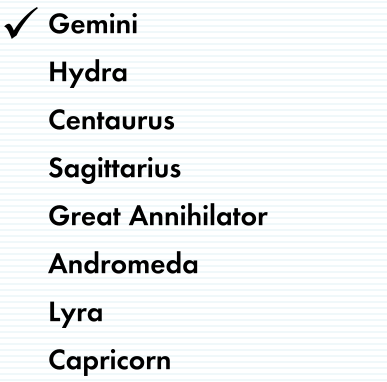
This will bring up a popup menu with the list of Modes:
A quick rundown of each Mode:
Gemini Mode: For Smooth Reverbs
This is the most “conventional” of the Supermassive modes. It has a very quick attack time, and a natural exponential decay. With the DENSITY parameter at maximum and WARP at 50% or more, you can get very smooth reverbs from Gemini. Turn down the DENSITY control, and the reverbs will become less dense as they decay away, which is nice for pointillistic effects.
Hydra Mode: For Lush and Complex Reverbs
This mode has a relatively fast attack time, and a very lush and long exponential decay. The Hydra mode is very sensitive to the DENSITY parameter. With DENSITY at 0%, Hydra can sound like a fairly simple echo. Turn up the DENSITY, and the echo density rapidly increases towards a complicated reverb/echo structure. The modulation can be very lush in Hydra.
Centaurus Mode: For Slow Fade In and Out Reverbs
A mode with a slower attack time, a shorter decay time, and a bit of “sustain” to the reverberation. The attack time in Centaurus is tied into the FEEDBACK parameter, with higher feedback values resulting in a faster attack (and longer decay). This slower attack can be used with lower values of WARP to create echoes that slowly fade in and out. Turn up the WARP parameter, and you have a reverb that slowly fades in, and hangs in space for a while.
Sagittarius Mode: For Sonic Mass (i.e. Echoes that Fade In Slowly and/or Massive Reverbs)
A reverb/echo with a VERY long attack time, depending on the setting of FEEDBACK. With FEEDBACK settings less than 70%, Sagittarius will slowly fade in, and fade out over a similar time period. Turn up FEEDBACK higher, and things will fade in more quickly and decay more slowly. Sagittarius can be viewed as having a fair degree of sonic “mass” or inertia: slow to get going, slow to go away. It is perfect for creating echoes that fade in over time, or massive slabs of reverberation with higher WARP values.
Great Annihilator Mode: For Super Long Decay Times
Similar to Centaurus, but MORE MASSIVE. Slow attack with a fair amount of predelay, and super long decay times.
Andromeda Mode: For Even Longer Decay Times
A supermassive variant of the Sagittarius mode. Very slow attack with a fair amount of predelay, and decay times that can range into thousands of seconds.
Lyra Mode: For Spacey Echoes that Gradually Fade Away
A more compact celestial object. Quick attack time, long decay time, and very low echo density. Even with DENSITY at max, Lyra spends a lot more time in the “echo” domain than the “reverb” domain. This can be really nice for spacey echoes that gradually diffuse over time.
Capricorn Mode: For Pointillistic Reverbs and Lush Chorus Effects
A larger version of Lyra. Quick attack time, long decay time, and a medium size bowl of echo density. Useful for pointillistic reverbs, as well as for lush chorus effects.
We use cookies to ensure that we give you the best experience on our website. If you continue to use this site we will assume that you are alright with it.